Indoor Plant Styling · THE GUIDE
Arrange Desk Plants Around a Computer Monitor to Minimize Glare
Adding potted plants to a home office workstation creates a calm, organized work environment, but poorly placed greenery often interferes with screen visibility and desktop functionality. Large leaves can reflect incoming window light back onto your display, cast distracting shadows across work documents, or snag delicate computer cables behind monitor stands. By choosing low-profile foliage, matte ceramic containers, and precise offset positions beside the display, you can frame your computer screen pleasantly. This balanced layout softens harsh peripheral edges without creating annoying screen glare or tangling with necessary desk wiring.
Jump to the checklist ↓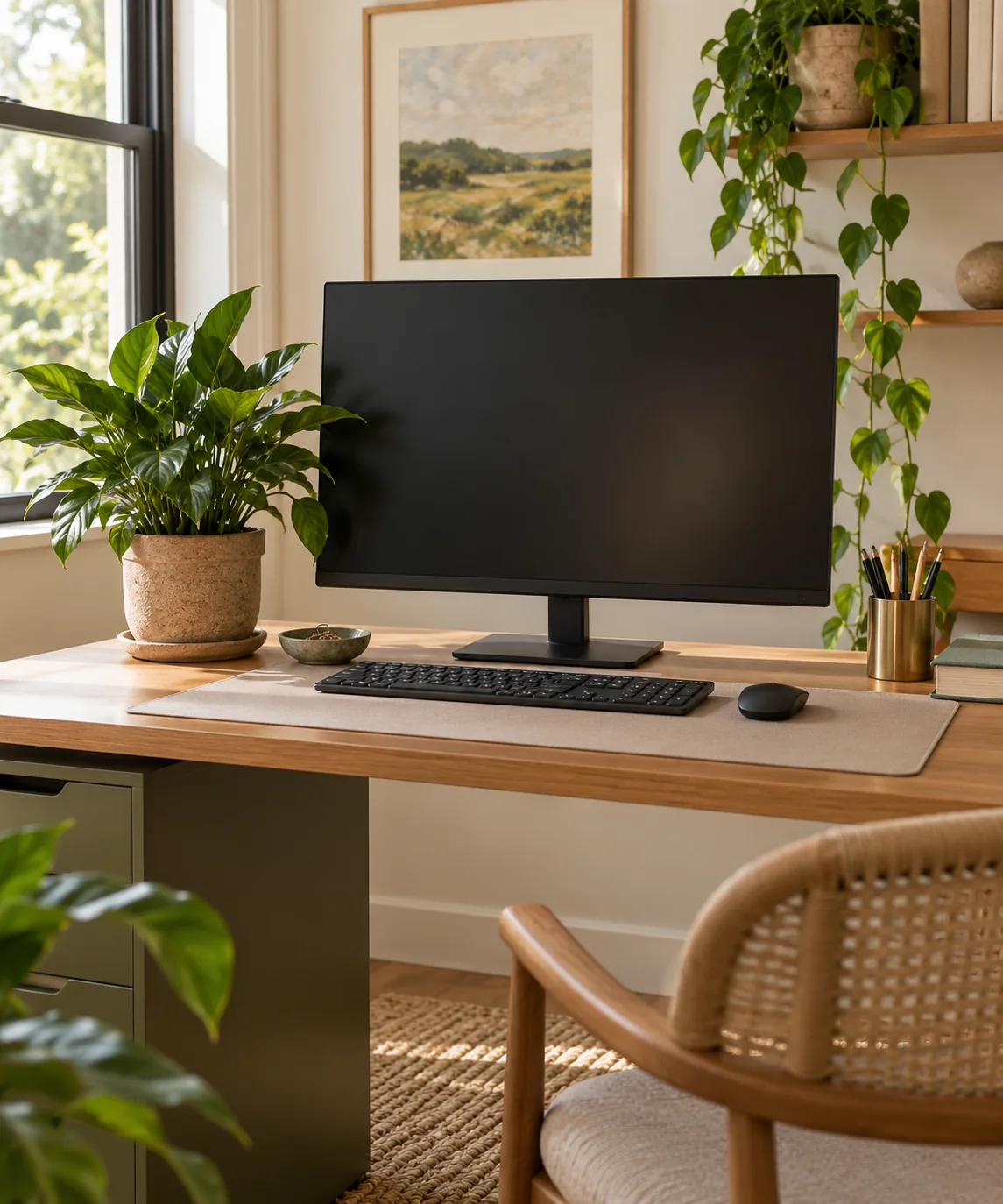
Positioning Foliage Outside Direct Sightlines
Place desktop plants comfortably outside your primary field of view, keeping pots far enough to the side of your monitor bezel that foliage does not crowd the display edge. Foliage should ideally sit slightly recessed behind the front plane of the screen rather than forward where spreading leaves might intrude into your peripheral vision or catch task lamp glare. This placement softens the visual contrast between your backlit display and the surrounding room. Keeping foliage modest in height ensures your sightlines remain unobstructed when turning toward secondary monitors, reference materials, or video conference cameras.
Selecting Matte Pots to Neutralize Glare
Container surface finishes significantly affect desk lighting dynamics. High-gloss ceramic pots, polished metallic vessels, and glass terrariums catch daylight and task lamps, bouncing harsh specular highlights directly into your peripheral vision or onto the monitor glass. Choose unglazed ceramics, textured stoneware, or matte composite planters in neutral hues like sand, slate, or charcoal. These matte surfaces absorb stray desk lamp illumination and diffuse ambient light evenly, eliminating distracting hot spots beside your working digital display.
Routing Desktop Cords Clear of Planters
Monitor arms, power cables, and peripheral cords inevitably cluster behind workstation screens. Placing plant saucers directly on top of loose wiring creates a tipping hazard and makes routine desk adjustments difficult. Secure computer cables into an organized channel or clip them to the rear desk frame before positioning your plants. Keep the area immediately surrounding your pot saucer entirely cord-free. This separation protects electronic connections from accidental water droplets and allows you to lift planters smoothly for routine desk wiping.
Choosing Compact, Non-Glossy Plant Varieties
Plant species with broad, glossy leaves, like rubber trees or fiddle leaf figs, can reflect office task lighting and cause visual distraction near screens. Select low-profile species featuring matte, textured, or slender foliage that diffuses light. Compact cast-iron plants, bird’s nest snake plants, or small prayer plants provide structured green silhouettes without reaching sprawling dimensions. These varieties stay neat within four-to-six-inch pots, keeping foliage contained within their designated footprint and away from keyboard movement areas.
Testing Reflections Across Changing Daylight
Natural daylight shifts throughout the workday, altering how ambient illumination hits your desk setup and monitor glass. Take time to observe your workstation in the morning, midday, and late afternoon to spot any unexpected glare points created by leaf surfaces or container rims. If changing sun angles strike foliage and cast distracting reflections or shadows across your display, shift the pot further outward or adjust window blinds. Monitoring these light shifts over the course of a full workday helps you settle on a stable, comfortable position that supports screen clarity.
YOUR STARTING POINT
A little checklist.
Original editorial guidance. Images are AI-generated concepts, not photographs of completed projects. Our sources and approach.
Questions to consider
Can plants placed near computer monitors damage electronic equipment?
Only if watered in place or set atop cords. Liquid spills can short wiring, while loose soil particles may enter keyboards. Always remove plants to a separate surface for watering and dry saucers before replacing them.
What height should a plant be beside a standard computer monitor?
Aim for a container and foliage height that stays below your primary eyeline when seated comfortably. Keeping foliage lower than the upper bezel of your display prevents leaf silhouettes from distracting your peripheral vision or blocking dual-monitor sightlines.
How do I prevent desk task lights from glaring off plant leaves?
Angle your desk lamp downward toward paperwork rather than directly at the foliage. Selecting plants with velvety or matte leaf textures rather than waxy surfaces also prevents harsh specular reflections on your display.