Rental-Friendly Decor · THE GUIDE
Conceal Entertainment Cables Inside a Bamboo Desktop Cable Box
Media consoles, streaming hubs, and home entertainment credenzas quickly accumulate tangled webs of power bricks, HDMI lines, and surge protectors. In rental settings where drilling cable pass-throughs into furniture or opening walls is forbidden, containment offers the cleanest resolution. A desktop cable box topped with a natural bamboo lid conceals utility clutter within an intentional decorative vessel. By organizing cords horizontally across your existing surface, this approach streamlines living room lines, reduces dust collection around electrical connections, and preserves rental furniture finishes without requiring specialized tools.
Jump to the checklist ↓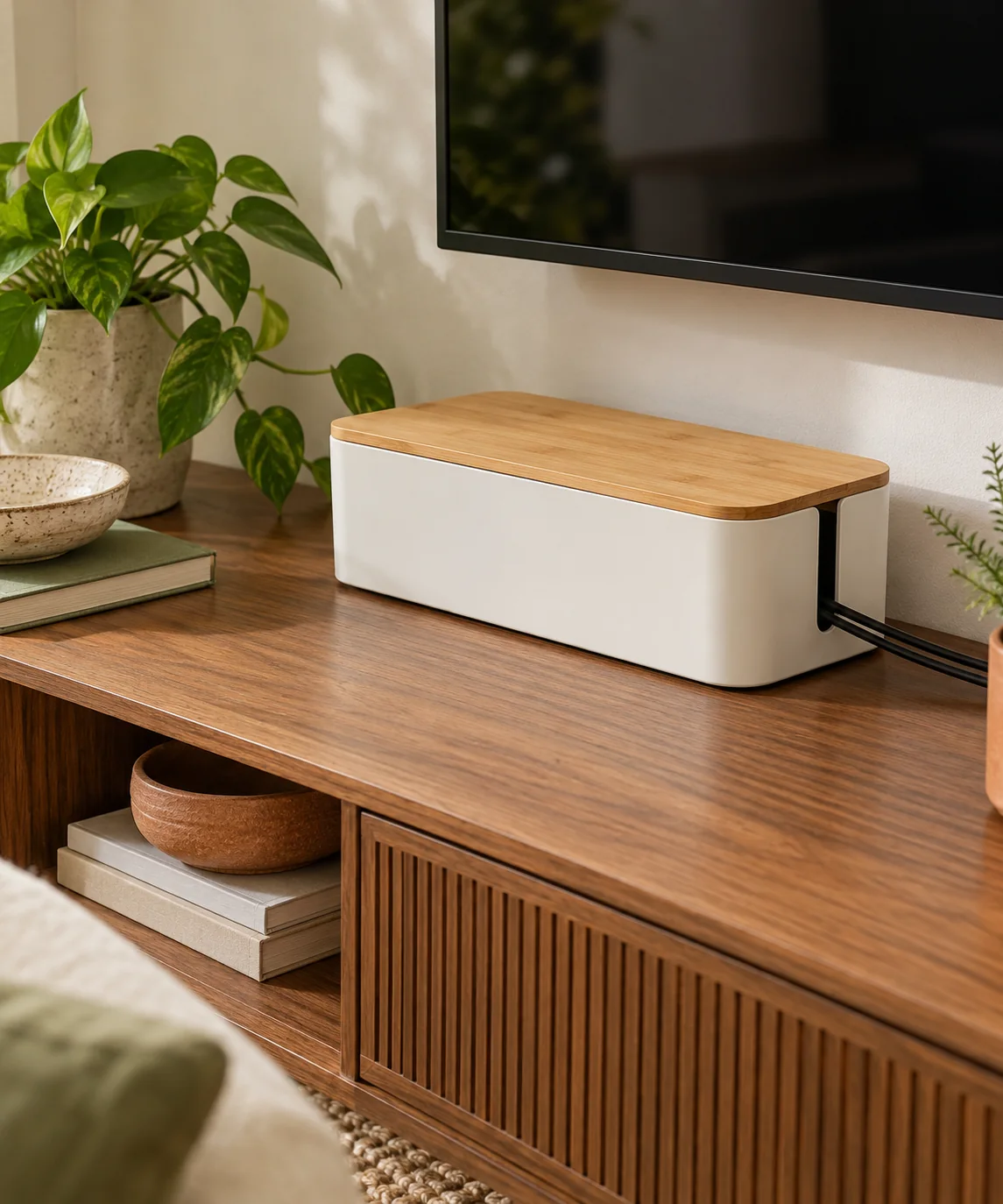
Sizing the Enclosure for Power Strips
Begin by measuring the length, width, and height of your surge protector, including any bulky power adapters plugged into it. Transformers often extend outward or upward beyond the strip footprint, requiring sufficient interior room. Choose an enclosure that allows the power strip to sit flat against the base without bending plug collars sharply. Confirming dimensions in advance ensures the bamboo lid rests securely within its rim rather than riding on top of compressed wires.
Routing Cables Through Dedicated Slots
Orderly cable routing reduces physical strain on device ports and preserves a neat exterior appearance. Group incoming power supply leads through the primary rear cutout toward the wall receptacle. Direct individual equipment cables through the side or opposing slots toward your media devices. Loosely gather excess cable lengths with reusable hook-and-loop straps inside the box, avoiding sharp bends that can damage internal wiring.
Managing Heat and Internal Cable Density
Power bricks and charging adapters naturally produce warmth while operating. Choose a cable box that includes ventilation openings along the base or sides to encourage passive air circulation. Avoid cramming the box with unnecessary accessories, power supplies that run unusually warm, or tightly packed wiring bundles. Follow all power strip manufacturer instructions regarding open space and operational clearances around plugged-in equipment.
Surface Placement and Furniture Protection
A cable box filled with multiple cords and power supplies can shift or scratch furniture surfaces when devices are plugged or unplugged. Inspect the base of the box for non-marring silicone or rubber pads. If the unit features a smooth plastic base, attach non-slip bumpers to the bottom corners. Place the enclosure close to the rear edge of the console to keep external cable runs short and orderly.
Labeling and Routine Dust Maintenance
Enclosed cable boxes require periodic inspection to stay orderly and clean over time. Attach durable write-on tags or cable flags near each terminal inside the box so components can be identified quickly during equipment changes. Open the lid periodically to check for dust accumulation, wiping interior surfaces with a dry microfiber cloth while keeping the area free of moisture.
YOUR STARTING POINT
A little checklist.
Original editorial guidance. Images are AI-generated concepts, not photographs of completed projects. Our sources and approach.
Questions to consider
Can multiple power adapters be safely housed inside a cable box?
Yes, provided the box has integrated ventilation slots and is not overcrowded. Ensure adapters fit without heavy force and adhere to the power strip manufacturer guidelines regarding continuous load and airflow.
Can I place decorative objects on top of the bamboo lid?
Lightweight dry items such as small decorative trays or paperbacks are acceptable. Never place cups, planters, or any liquid containers on top of an electrical enclosure where spills could enter cutout slots.
How do I keep the cable box from sliding when cords move?
Install silicone or rubber non-slip feet on the underside of the box. The weight of the internal power strip combined with rubber grip keeps the organizer steady on smooth console surfaces.