Compact Home Offices · THE GUIDE
Create a Wall-Mounted Standing Workstation Beside a Bookcase
Compact living rooms frequently lack floor space for bulky motorized sit-to-stand desks. A targeted alternative is pairing an existing tall bookcase with dual wall-mounted floating ledges aligned to standing height. This setup creates an efficient upright workstation that blends seamlessly into the perimeter shelving. By using one ledge for screen height and a lower platform for keyboard inputs, users can transition between standing tasks and seated work at a nearby dining table. Careful consideration of elbow angles, structural clearance, and storage integration ensures a stable, practical working routine.
Jump to the checklist ↓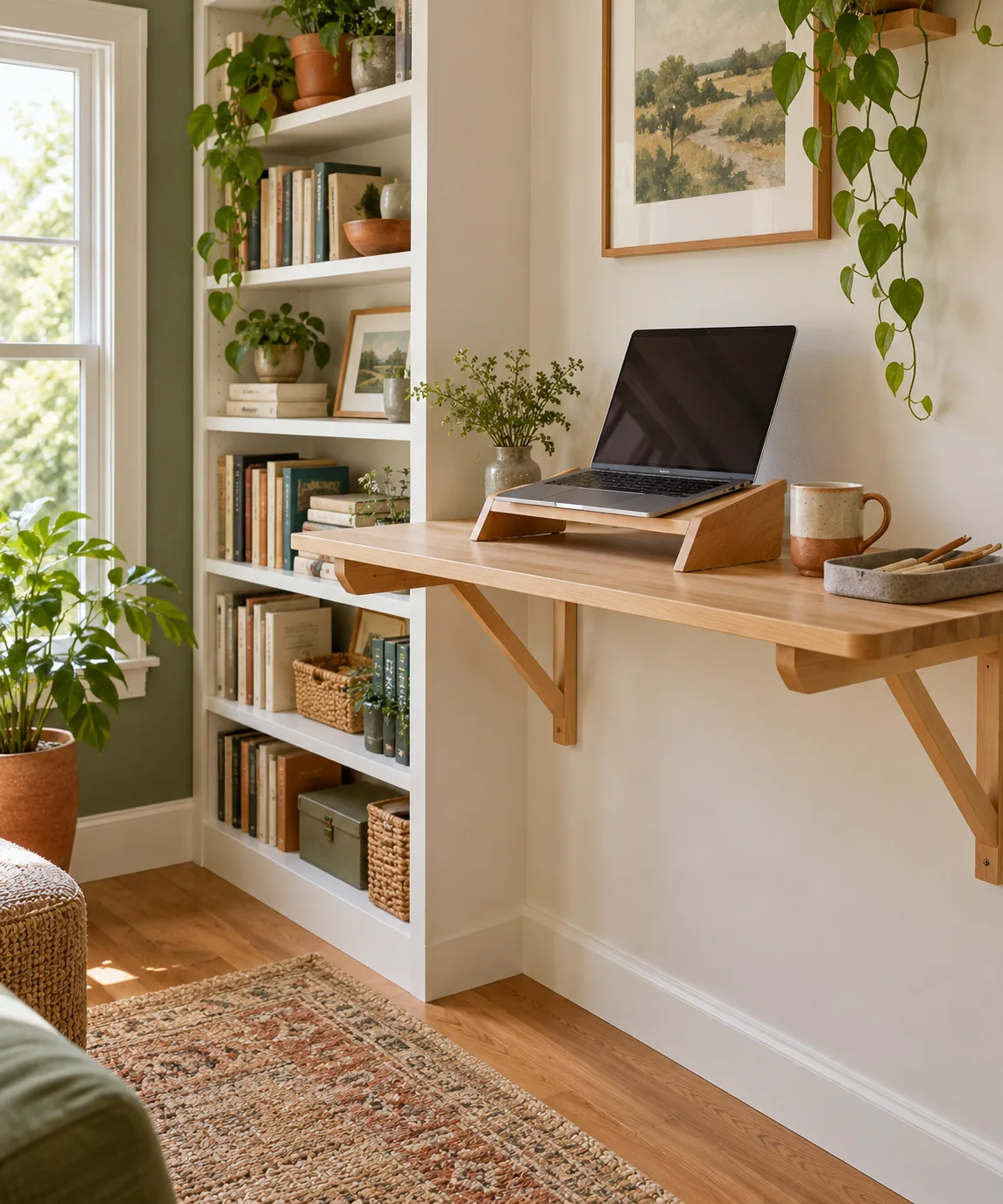
Determining Ergonomic Standing Heights
Before selecting or mounting floating ledges beside a bookcase, establish your working measurements while wearing typical indoor footwear. Stand upright with relaxed shoulders and bend your elbows at roughly a 90-degree angle. Your keyboard platform should align near elbow height to support neutral wrists, while your monitor screen should sit at eye level on an upper ledge. Test these vertical heights first by stacking sturdy cardboard boxes on an existing stable table to verify comfort before planning any permanent wall installation.
Assessing Wall Structure and Weight Limits
A floating shelf used as a standing workstation must endure both static hardware weight and the dynamic downward pressure of typing and resting hands. Cantilevered shelves create significant leverage against wall fasteners. Verify your wall construction and locate solid wood wall studs; avoid relying on standard hollow-wall drywall anchors for work surfaces. Check the manufacturer's load rating for both the shelf brackets and the shelf material to ensure they are rated for active load-bearing use rather than light decorative display.
Aligning with Surrounding Bookcase Geometry
Positioning the standing station beside a tall bookcase creates a cohesive architectural look in a compact room. Match the depth of the upper screen ledge to the bookcase depth, typically 10 to 12 inches, so it integrates smoothly into the perimeter. A lower keyboard ledge generally requires 14 to 16 inches of depth for input devices, but it must not protrude into essential room walkways. Confirm with building or lease guidelines before drilling into shared walls, and ensure the bookcase itself is properly anchored.
Managing Peripherals and Worksurface Space
Because wall-mounted ledges offer limited surface area compared to traditional desks, keep hardware streamlined. Rest your laptop on a stable riser or place a freestanding compact monitor directly on the upper shelf using its factory base; avoid clamp-on monitor arms, which concentrate excessive rotational torque on shallow floating brackets. Reserve the lower ledge exclusively for a compact keyboard and mouse, using the adjacent sturdy bookcase shelves to store paper documents, external hard drives, and heavy reference materials.
Establishing an Alternating Routine and Maintenance
Prolonged standing on hard floors can lead to lower-back fatigue, so pair the standing station with a flexible work rhythm. Begin with 20-minute standing sessions, alternating with seated tasks at a standard table. Place a cushioned anti-fatigue mat beneath your feet and store it upright alongside the bookcase when finished. Regularly inspect the wall brackets, shelf screws, and wall contact points for any signs of loosening or deflection caused by daily typing pressure, tightening hardware as recommended by the bracket manufacturer.
YOUR STARTING POINT
A little checklist.
Original editorial guidance. Images are AI-generated concepts, not photographs of completed projects. Our sources and approach.
Questions to consider
How deep should the lower keyboard ledge be?
A depth of 14 to 16 inches provides adequate room for a compact keyboard, mouse, and wrist alignment without creating excessive cantilever leverage. Verify that the shelf brackets are rated to support downward forearm pressure across this depth without flexing.
Can I attach a clamp-on monitor arm to a floating ledge?
Clamp-on monitor arms are not recommended for shallow floating shelves. They concentrate substantial rotational torque and point load onto a small surface area, which can damage shelf materials or loosen wall anchors. Use a stable, freestanding desktop monitor stand placed on a securely anchored ledge instead.
How long should I stand at the workstation per session?
Start with 20 to 30 minutes of standing work, then transition to a seated location such as a dining table. Alternating between standing and sitting helps prevent joint fatigue and maintains physical comfort throughout the workday.