Dining Nooks · THE GUIDE
Design a Double-Duty Dining Nook for Remote Workdays
Kitchen tables frequently serve as temporary workstations, yet sustaining full work shifts requires thoughtful ergonomic support and tidy power management that standard dining setups rarely deliver out of the box. Adapting a dining nook for remote work involves supporting upright posture during daytime hours while preserving an inviting atmosphere for evening meals. By pairing comfortable, supportive seating with reversible cable management and designated storage for office supplies, you can transition smoothly between work and home routines. Careful placement, respect for manufacturer guidelines on electrical accessories, and deliberate transition habits help keep equipment orderly without compromising the comfort of your dining space.
Jump to the checklist ↓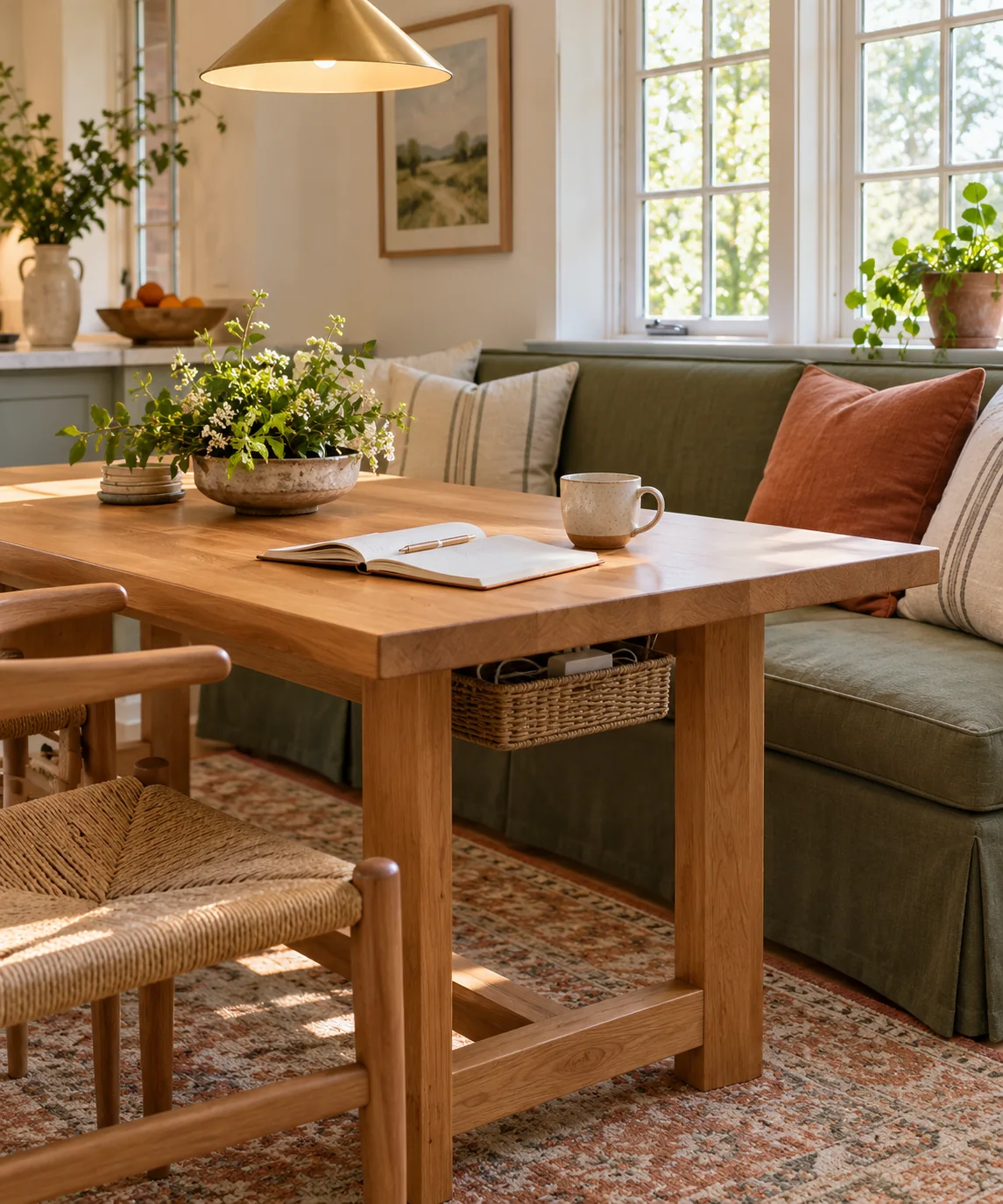
Evaluate Seating Height and Posture Compatibility
Dining seating is primarily designed for relaxed meals rather than prolonged desk tasks, which can lead to fatigue over several hours of typing. If using an upholstered bench, settee, or dining chair for computer work, look for a firm seat base and supportive backrest that allow your feet to rest flat on the floor. Because standard dining tables typically stand 29 to 30 inches high, verify whether your natural elbow height aligns comfortably with the tabletop surface. If the seat is too low or slopes backward, incorporate a high-density lumbar cushion or firm seat wedge to elevate your sitting position and reduce shoulder elevation while typing.
Manage Cords Safely with Adequate Airflow
Running laptop chargers and peripheral cables across an active dining area introduces trip hazards and visual clutter. When routing cords, use open wire baskets, hook-and-loop straps, or removable adhesive channels along the table legs rather than permanently modifying the furniture. Always check the manufacturer instructions for any power strip or surge protector you use; never enclose power strips in unventilated fabric sleeves or tightly packed compartments where heat can accumulate. Route primary power cords along baseboards or under protective floor runners if they must cross walking paths, keeping connections secure and accessible.
Establish an End-of-Day Pack-Down Routine
A dual-purpose nook requires a clear boundary between working hours and meal times to prevent work materials from encroaching on household life. Designate a portable tote, lidded basket, or dedicated cabinet shelf adjacent to the dining area to store your laptop, mouse, notepad, and daily accessories. At the end of each workday, take a few minutes to disconnect your portable hardware, stow accessories in your storage container, and wipe down the tabletop. Clearing the surface physically closes out professional responsibilities and restores the nook as a welcoming dining environment.
Assess Surface Area and Elbow Clearance
Working on a laptop alongside open paperwork requires wider lateral clearance than a typical single-person dining place setting. Before finalizing your nook layout, test your working footprint by placing your computer, mouse, and reference materials on a desk mat to see how much surface area they occupy. Ensure you have comfortable elbow clearance without pressing against adjacent walls or window trim. If sharing the table with family members during breakfast or lunch, position your work equipment on one side so others can dine without displacing your active setup.
Layer Focused Task Illumination
Dining chandeliers and pendant fixtures are often calibrated for soft, ambient dining rather than detailed screen reading, which can result in shadows across your keyboard or notes. Supplement your overhead lighting with an adjustable, portable LED task lamp that can be easily repositioned or moved aside before meals. Look for a lamp with dimming controls and a neutral white color profile that provides crisp document contrast without causing glare on your monitor. Ensure lamp cords are routed along the rear edge of the table to avoid accidental snags during use.
YOUR STARTING POINT
A little checklist.
Original editorial guidance. Images are AI-generated concepts, not photographs of completed projects. Our sources and approach.
Questions to consider
How can I protect a delicate dining table surface from remote work equipment?
Place a wide felt-backed or cork-backed desk mat under your laptop, keyboard, and mouse. This buffers the wood or veneer finish from heat, pressure, and accidental pen marks while defining your active workstation footprint.
Can standard dining chairs work comfortably for extended typing shifts?
Dining chairs often lack adjustability and lumbar support. You can improve comfort by adding a firm ergonomic seat cushion and an external lumbar pillow, but taking periodic movement breaks is essential when using non-adjustable seating.
How should I position the dining table relative to power outlets?
Place the table as close to an available wall outlet as possible so power cords remain short and run flat along walls or legs. If cords must cross a walkway, use a durable, low-profile rubber floor cord cover to prevent tripping.