Compact Home Offices · THE GUIDE
Fit a Narrow Trestle Desk Along the Back of an Open Stairway
The exterior perimeter of an open staircase often becomes underutilized circulation space that gathers household clutter. Placing an ultra-narrow, freestanding trestle desk against the back balustrade can create a compact daytime workstation without permanent alterations. However, because stairways serve as vital domestic transit corridors and primary emergency egress routes, furniture dimensions and placement must be planned with rigorous care. Selecting a desk with a depth under 40 centimeters, ensuring substantial remaining walkway clearance, and keeping cable paths entirely clear of floor surfaces preserves safe passage while introducing a functional micro-office into an open layout.
Jump to the checklist ↓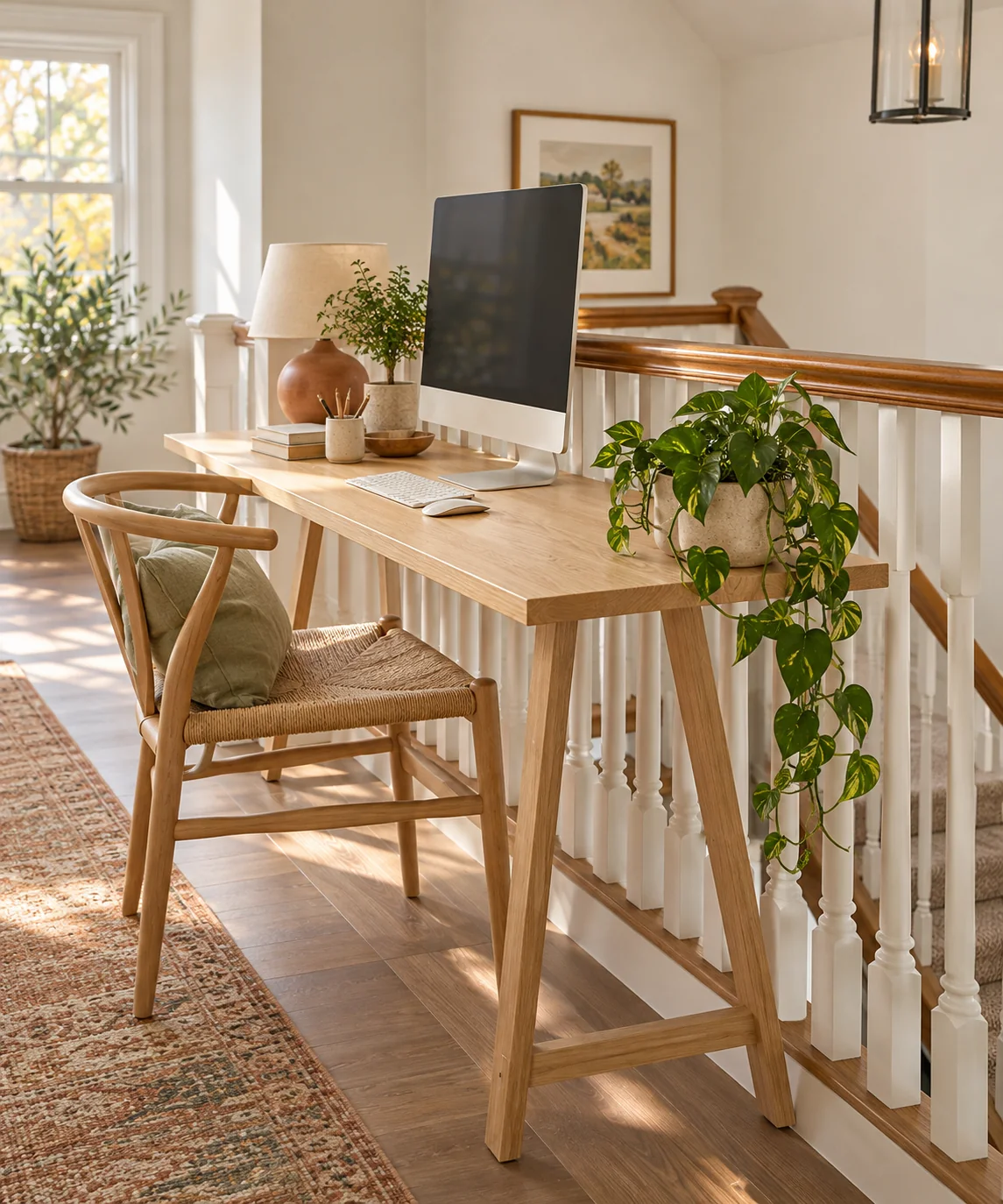
Egress Clearances and Corridor Dimensions
Before considering furniture placement, measure the full distance between the rear stair stringer and the opposite perimeter wall. Hallways and stair landings are subject to local building egress codes that define mandatory minimum clearance widths, often requiring at least 90 centimeters of completely unobstructed passage. A narrow desk can only be installed if the corridor is wide enough to retain this mandatory clearance after accounting for both the desk depth and an occupant seated at the workstation. Never narrow an escape route or pinch the clear approach to stair steps.
Trestle Base Geometry and Baluster Spacing
Trestle legs and A-frame supports feature a base footprint that spreads wider than the upper desktop surface. Compare the base spread directly against your stair stringer and floor trim to confirm stable, level footing. Maintain a small clearance gap between the back edge of the desk and the vertical stair balusters to prevent finish abrasion from small shifts during use. Freestanding solid timber or powder-coated steel trestles provide rigid lateral support without requiring permanent wall anchors, preserving delicate woodwork and rental finishes.
Isolating Stair Vibrations and Screen Movement
Foot traffic on wooden stair treads naturally generates mechanical vibrations that travel through structural stringers and balustrades. Keeping the desk physically detached from the stair framework prevents these tremors from vibrating your work surface. To minimize screen shake during busy household hours, mount displays on wide, weighted desktop stands rather than articulated clamp arms, which amplify structural vibrations. Attaching soft silicone bumpers to the back edge of the desk provides a protective buffer if the furniture shifts slightly during daily use.
Safe Cable Routing Away from Transit Paths
Placing an electrical workstation in a circulation corridor introduces potential tripping hazards if wiring is mismanaged. Power leads must never cross open floorboards or span across the walking path between the desk and the opposite wall. Position the desk so power cords can reach an adjacent perimeter wall outlet directly along baseboard edges. Mount a multi-outlet power strip to the underside of the desktop frame and secure all peripheral cords tightly to the interior of a rear trestle leg using reusable hook-and-loop ties, keeping wires elevated and out of foot reach.
Environmental Realities of Stairway Workspaces
Open stair zones lack acoustic boundaries, meaning phone calls and video conferences will be audible to the entire household and upstairs noise will travel down. Furthermore, open-riser staircases without solid vertical backing boards allow dust and household debris from descending shoes to sift through the treads. If your staircase features open risers, avoid placing sensitive electronics directly beneath the overhang of the upper treads. Restrict this micro-workspace to quiet, individual tasks that tolerate open domestic activity.
YOUR STARTING POINT
A little checklist.
Original editorial guidance. Images are AI-generated concepts, not photographs of completed projects. Our sources and approach.
Questions to consider
Can I clamp an external monitor arm to an ultra-narrow trestle desk?
Clamping monitor arms to surfaces shallower than 45 centimeters is generally not recommended. The arm places the screen uncomfortably close to your eyes, and any footsteps on nearby stairs can cause significant screen wobble. A low-profile, stationary desktop base provides superior visual stability.
How can I protect timber flooring from chair movement in a narrow hallway?
Fit dense wool or heavy-duty felt glide pads beneath stool or chair legs to prevent floor scratches. If using a wheeled task chair, install soft polyurethane roller casters designed for hard surfaces, and always confirm the chair remains tucked fully beneath the desk when vacated.
What minimum desk depth is needed for basic laptop work?
A depth of 35 to 40 centimeters accommodates a standard 13- to 15-inch laptop while leaving sufficient space behind the screen for cable clearance and a modest resting zone for your wrists. Depths below 35 centimeters force cramped wrist angles and provide inadequate equipment support.