Household Reset Routines · THE GUIDE
Media Console Wire Bundling and Remote Tray Reset
A low media console often accumulates visual clutter through stray handheld controllers, streaming remotes, and tangled connecting cords spilling across open surfaces. Establishing a dedicated evening reset routine restores functional calm without requiring permanent modifications to cabinetry or walls. By combining reversible cable-bundling wraps behind the credenza with an opaque lidded bin and an open shallow tray on top, devices remain accessible while visual distraction drops dramatically. This systematic approach preserves airflow around sensitive electronics, prevents cord strain, and creates designated homes for daily peripherals so shared living spaces look intentional and orderly every single day.
Jump to the checklist ↓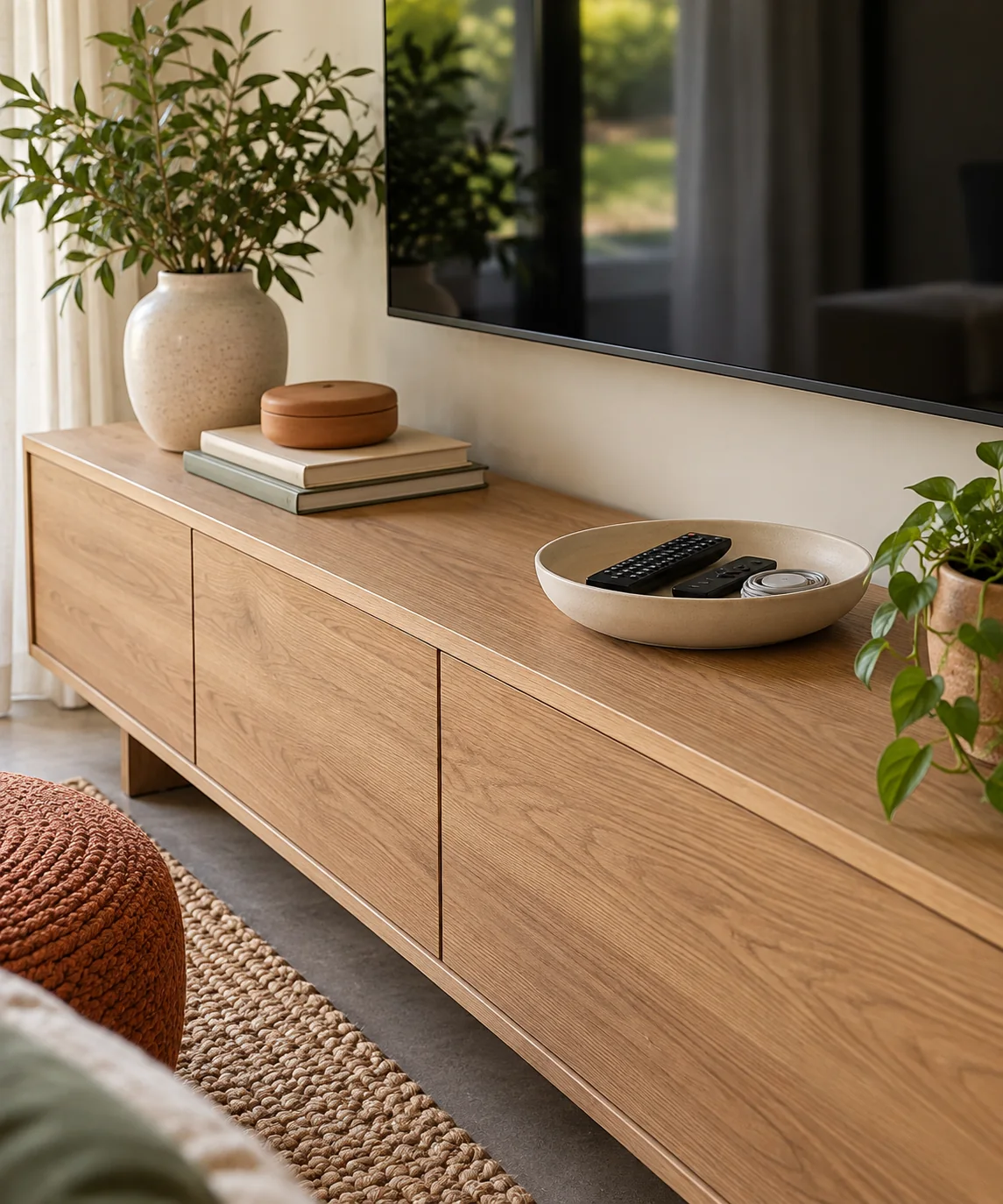
Auditing Surface Clutter and Peripherals
Begin by clearing all loose remotes, game accessories, and cords off the credenza surface. Separate daily operational devices, such as primary television controllers and streaming wands, from occasional accessories like spare batteries, extra charging leads, and secondary gamepads. Dedicating an open shallow tray to everyday controllers keeps them accessible, while idle accessories belong inside a separate storage container on a lower shelf. This separation prevents flat surfaces from accumulating unnecessary visual clutter.
Bundling Cords with Reversible Fasteners
Avoid plastic zip ties that require cutting tools during maintenance, as blade slips can damage cord jackets. Instead, use adjustable hook-and-loop fabric ties to bundle slack lines neatly behind the credenza. Run standard AC power cords separately from sensitive audio or video signal lines where practical to minimize potential interference. Ensure sufficient slack remains near appliance plugs so equipment can be shifted forward for cleaning without placing mechanical tension on input ports.
Organizing Inactive Accessories and Spares
Use an opaque lidded storage container strictly for disconnected cords, auxiliary gamepads, and spare accessories. Active power bricks, transformers, and battery chargers generate heat during operation and should remain in open, well-ventilated areas according to manufacturer safety instructions rather than being enclosed in decorative boxes. For inactive cables stored in the box, secure each loosely with reusable loops to prevent tangling.
Designating a Dedicated Remote Landing Zone
A low-profile ceramic or wooden tray provides a clear visual home for remotes and handheld controllers. Position the tray in an easily reachable spot along the main seating path. Lay remotes flat and parallel rather than stacked, which prevents buttons from depressing unintentionally and draining battery power. A designated landing dish establishes an intuitive shared boundary, ensuring devices consistently return to their proper place after evening use.
Routine Maintenance and Ventilation Checks
Incorporate a regular inspection behind the media console to check for dust accumulation around electronic equipment. Electronics naturally collect airborne lint, especially near fan exhausts and wire bundles. Periodically wipe exterior cord surfaces with a dry microfiber cloth and confirm that bundled cables do not block equipment ventilation slots. Keeping rear spaces clean and unblocked supports passive cooling and simplifies device changes when updates are needed.
YOUR STARTING POINT
A little checklist.
Original editorial guidance. Images are AI-generated concepts, not photographs of completed projects. Our sources and approach.
Questions to consider
Where should active power adapters and charging bricks be kept?
Keep active power adapters and transformer bricks in open, unobstructed areas where ambient air can circulate freely. Enclosing warm power bricks inside decorative boxes or tight bins can trap heat and violates manufacturer safety instructions. Reserve storage boxes solely for idle, unplugged cords and peripheral accessories.
What tray material works best on delicate wood credenza tops?
Ceramic, stone, or finished wood trays work well when paired with soft felt or silicone pads underneath. These protective feet prevent scratches on furniture finishes and keep the tray stable when controllers or remotes are set down.
Can power cords and audio cables be bundled together?
Whenever practical, run AC mains power cords separately from unshielded audio, video, or data cables to minimize potential electromagnetic hum or interference. Crossing power and signal lines at right angles rather than running them in tight parallel bundles helps maintain clean signal transfer.