Entryway Organization · THE GUIDE
Tuck an Entryway Charging Hub Inside a Linen Cord Box
Small daily tech accessories create instant surface disorder right inside the front door. Portable power banks, rechargeable work flashlights, and wireless earbuds are constantly dumped on entryway consoles, accompanied by a tangle of mismatched charging leads. Using a fabric-wrapped or linen cord organizer box conceals the necessary multiport USB charger while keeping devices accessible for quick grabbing on the way out. This approach confines power bricks, excess wire loops, and resting devices to a structured footprint, transforming a chaotic drop zone into a clean, intentional landing pad without requiring permanent furniture alterations.
Jump to the checklist ↓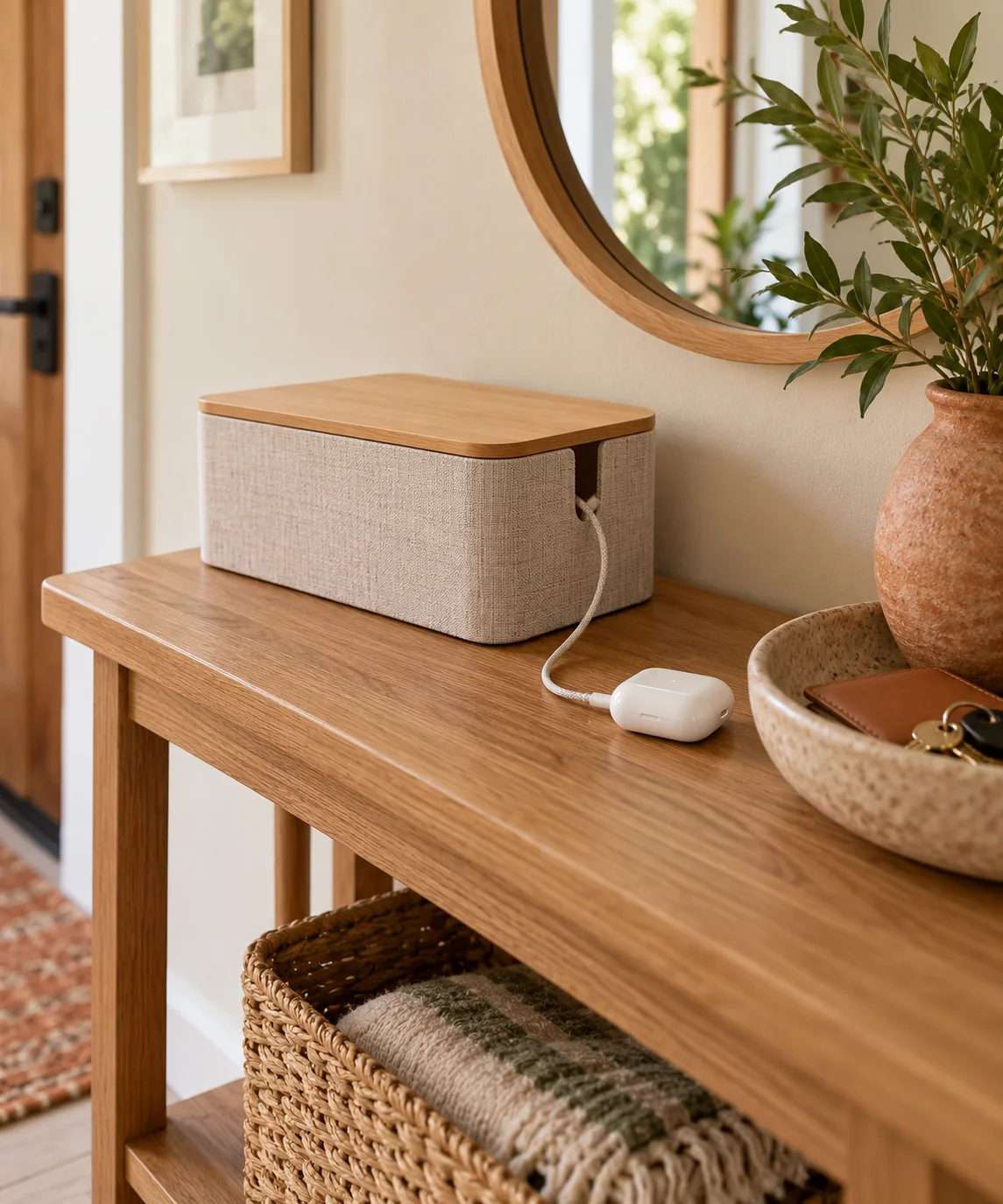
Assessing Cord Volume and Port Layout
Choose a linen-finished cord management box equipped with built-in ventilation slots and dual-end cord exits to accommodate your setup. Measure the outer dimensions of your multi-port USB charging station before placing it inside the container. Position the charging hub flat along the bottom surface to maintain stability during daily use. Ensure the main electrical lead exits smoothly through the rear cut-out toward your wall outlet without creating sharp bends or pinched insulation. Keep the internal cable runs neat and compact by coiling excess lengths with reusable hook-and-loop ties, which prevents clutter inside the box and allows resting accessories to sit level.
Testing Drop-Zone Flow with Temporary Containers
Before selecting a dedicated linen container, evaluate your spatial needs using an existing cardboard box or shallow tray placed on the console. Set your everyday tech accessories alongside the charging hub to observe how much room they occupy during typical arrival and departure routines. Check that resting flashlights, wireless earbuds, and portable power banks fit comfortably without crowding the perimeter or forcing the lid upward. This simple spatial check clarifies whether a compact organizer meets your requirements or if your accessory collection demands a wider enclosure with additional cable cut-outs.
Managing Heat and Device Spacing Responsibly
Electronic accessories naturally generate mild heat while replenishing, making proper arrangement inside an enclosed box essential for reliability. Avoid stacking portable battery packs or phones directly on top of each other while connected to power; lay them flat with adequate space between enclosures to encourage air circulation. Keep the box lid properly aligned with its designed ventilation gap or seam rather than sealing it tightly shut. Keep damp items, such as wet umbrellas, damp gloves, or moist mail bundles, away from the cord box to maintain safe operating conditions around energized electronics.
Establishing Clear Device Lanes for Daily Routines
Designate predictable resting zones within the box for gear that remains connected overnight versus items retrieved multiple times throughout the day. Place smaller items such as wireless earbuds and daily phone power packs near the forward edge where cables emerge easily from lid openings. Reserve deeper rear corners for emergency lanterns, secondary power banks, or backup cables. Establishing consistent placement helps household members return accessories to designated ports automatically, keeping essential everyday tools organized and ready to grab when leaving the home.
Routine Maintenance and Fabric Surface Care
Linen-covered organizers gather ambient household dust over time, particularly when positioned near busy exterior doors. Clean the fabric exterior periodically using a dry microfiber cloth or a gentle adhesive lint roller to lift settled particles without snagging the woven material. Open the container regularly to inspect interior corners and gently vacuum away loose debris using a soft brush attachment. Check all charging cables and power adapters for frayed sleeving, bent prongs, or loose connectors, replacing any compromised cords immediately according to manufacturer guidelines to ensure dependable daily power.
YOUR STARTING POINT
A little checklist.
Original editorial guidance. Images are AI-generated concepts, not photographs of completed projects. Our sources and approach.
Questions to consider
Can I charge a laptop inside a linen cord box?
No, avoid charging larger electronics like laptops inside small decorative boxes. Laptops and their high-wattage power supplies generate significant heat during operation, requiring open air circulation to prevent overheating and premature component wear.
How do I stop the charging box from sliding across smooth tables?
Attach small, self-adhesive silicone bumper pads under each corner of the linen box. These non-marking feet provide traction on polished wood or stone tabletops, holding the box firmly in place when unplugging cables.
What is the best way to route cords to an awkward outlet?
Position the linen box directly inline with the wall outlet to minimize cord visibility. Run the primary power cord along the back edge of the console, using self-adhesive cable clips to guide it cleanly down table legs.